In a hurry to do things fast and meet monster deadlines, developers keep the book of best practices aside and start coding. The result can lead to unexpected behavior in your project along with highly unmanaged code. Start following best practices of coding, with time it will become a habit.
Even the experienced programmers sometimes can’t foresee the issues embedded in their code.
OCLint comes with a huge list of options which are way too lengthy anc can’t be covered in a single reading. In this tutorial we will cover best configurations suggested by OCLint documentation for XCode project.
About OCLint
OCLint is a static analyzer for C, C++ and objective c. The documentation to kick off your relationship with OCLint is huge and you will be jumping from one page to another in pursuit of something, something digestible. In this tutorial our goal is to Install, Integrate & View Analysis report of OCLint in XCode objective-c project.
Prerequisite
Installation
1. Homebrew, Easy and Recommended
If homebrew is configured on your system, you can use homebrew tap for oclint.
{% highlight text %} $ brew tap oclint/formulae $ brew install oclint {% endhighlight %}
And can be simplified to
{% highlight text %} $ brew install oclint/formulae/oclint {% endhighlight %}
Use following commands to update to latest version
{% highlight text %} $ brew update $ brew upgrade oclint {% endhighlight %}
2. Download
Ignore it if you have completed installation via Homebrew.
Go to OCLint Releases on github and download latest oclint-{versionno-architecture-OS}.zip/.tar.zip. Extract the files.
{% highlight text %} -oclint-x.y.z |–LICENSE |–bin (Contains OCLint commands, from here you can execute it) |–lib (Contains clang static analyzer, reporters and rules library) {% endhighlight %}
Set Path
Once installation is complete you can set path in terminal
{% highlight text %} OCLINT_HOME=/path/to/oclint-x.y.z export PATH=$OCLINT_HOME/bin:$PATH {% endhighlight %}
Verify Installation
Check whether installation is successful. If you see the output listed below, congratulations you did it.
{% highlight text %} $ oclint oclint: Not enough positional command line arguments specified! Must specify at least 1 positional arguments: See: oclint -help {% endhighlight %}
OCLint Commands
1. oclint
OCLint comes with rich set of options which you can use with ‘oclint’ command. In terminal type $ ocline --help to get detailed list of configurations.
2. oclint-json-compilation-database
It is great that OCLint provides us options to specify each file’s configurations. But in practical life our projects contains hundreds of files and it will give you a headache to do this manually. Here comes the solution oclint-json-compilation-database
Integration with XCode
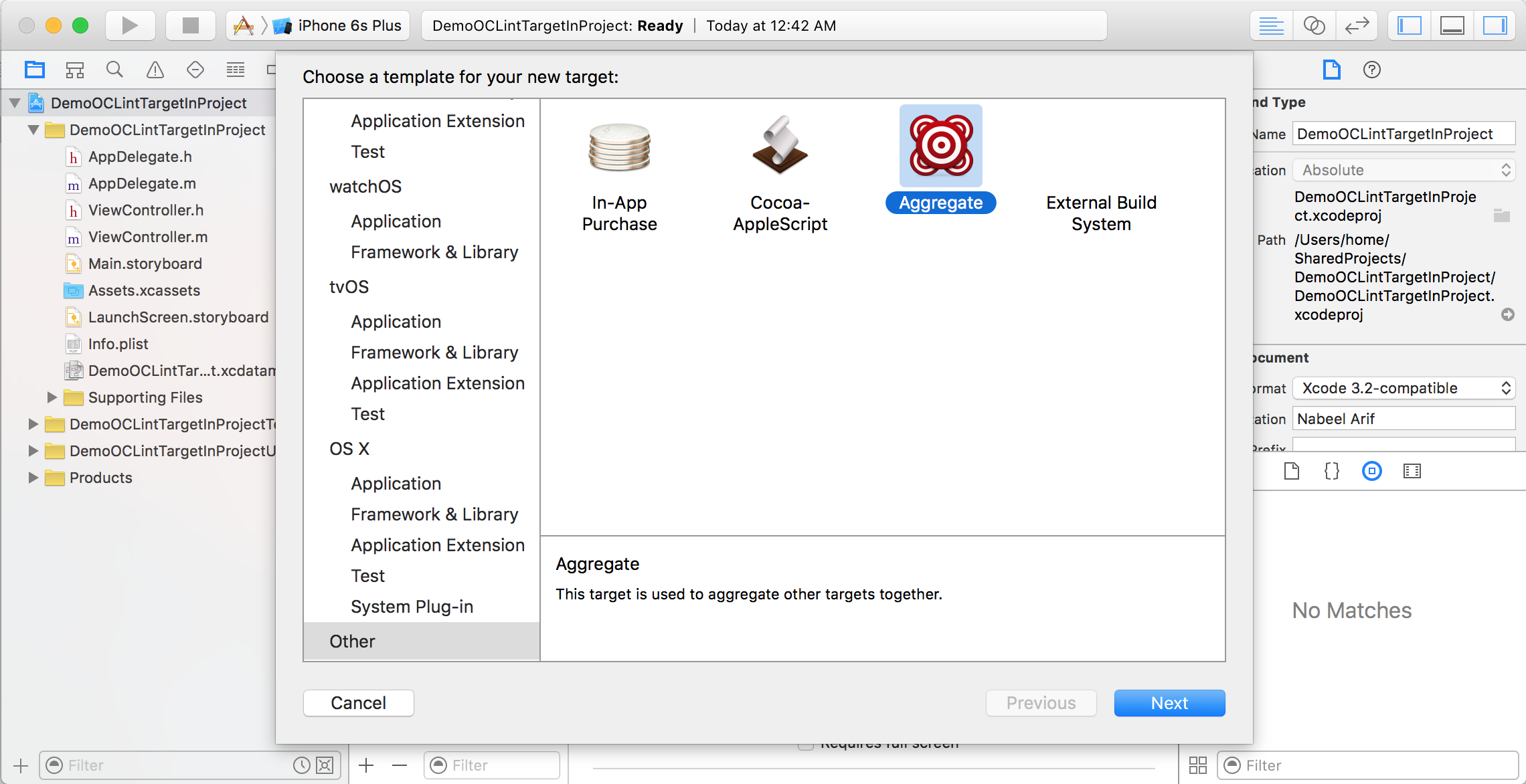
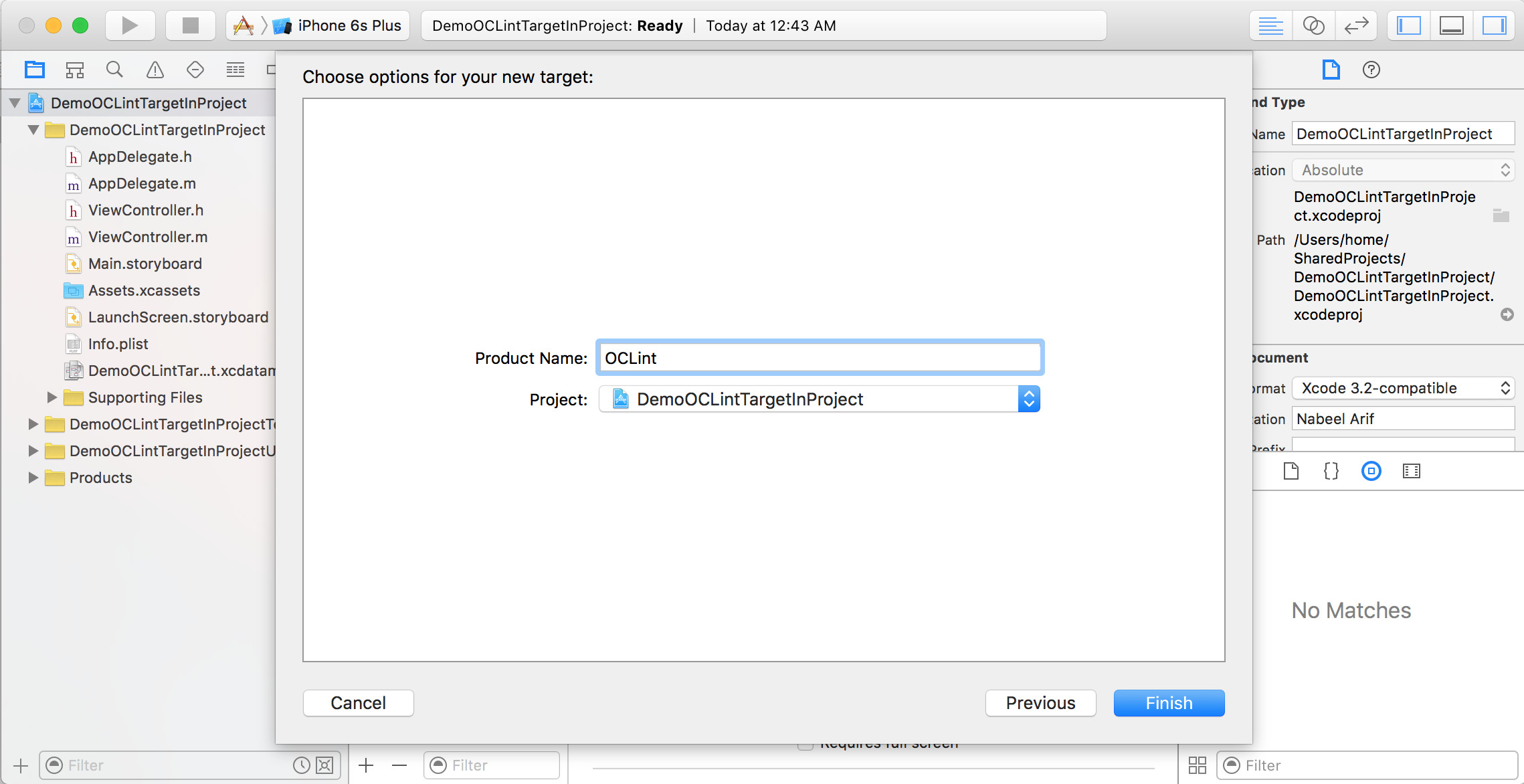
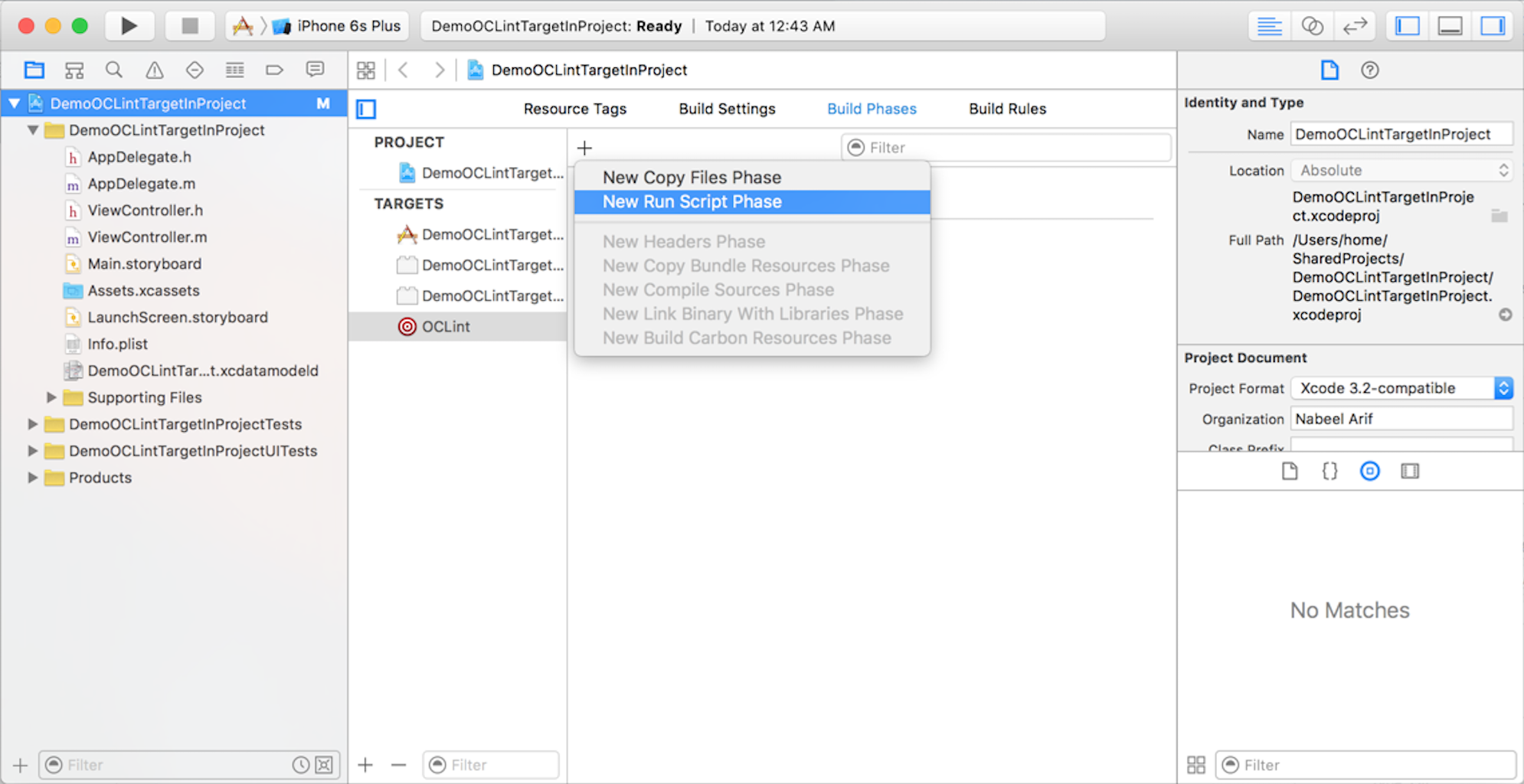
Add the following script to new run script.
| |
Sample project
DemoOCLintTargetInProject is the project we used for above demo and is published on git.